

Booking Software for HVAC Contractors
A tune-up has one real deadline: before the heat or the cold arrives, not during it. Once the season turns, that maintenance slot is gone and the call that replaces it is an emergency instead, one that has to go ahead of whatever was already on the books. kiwilaunch keeps the tune-up and the emergency callout as separate services, each with its own length, so the calendar can hold room for both instead of treating every call the same.
- The seasonal tune-up and the no-heat, no-cool call as separate services, each with its own length
- Coverage set by ZIP or post code, tighter for an emergency call than for a scheduled tune-up
- Online booking for HVAC services, open whenever the tune-up finally crosses someone's mind
- Techs on their own shifts and their own calendars, so you can see who's actually free








Integrate with your website or use our standalone booking page




Booking widgets in your website
- Integrate in 3 mins with an embed script
- Your own web pages convert to paying customers
- Compatible with all systems (Wix, Wordpress, Squarespace, Weebly and more)





Standalone booking page
- Your custom domain and design
- Use in your ads (social media, newsletters)
- Optimized for conversion and customizable



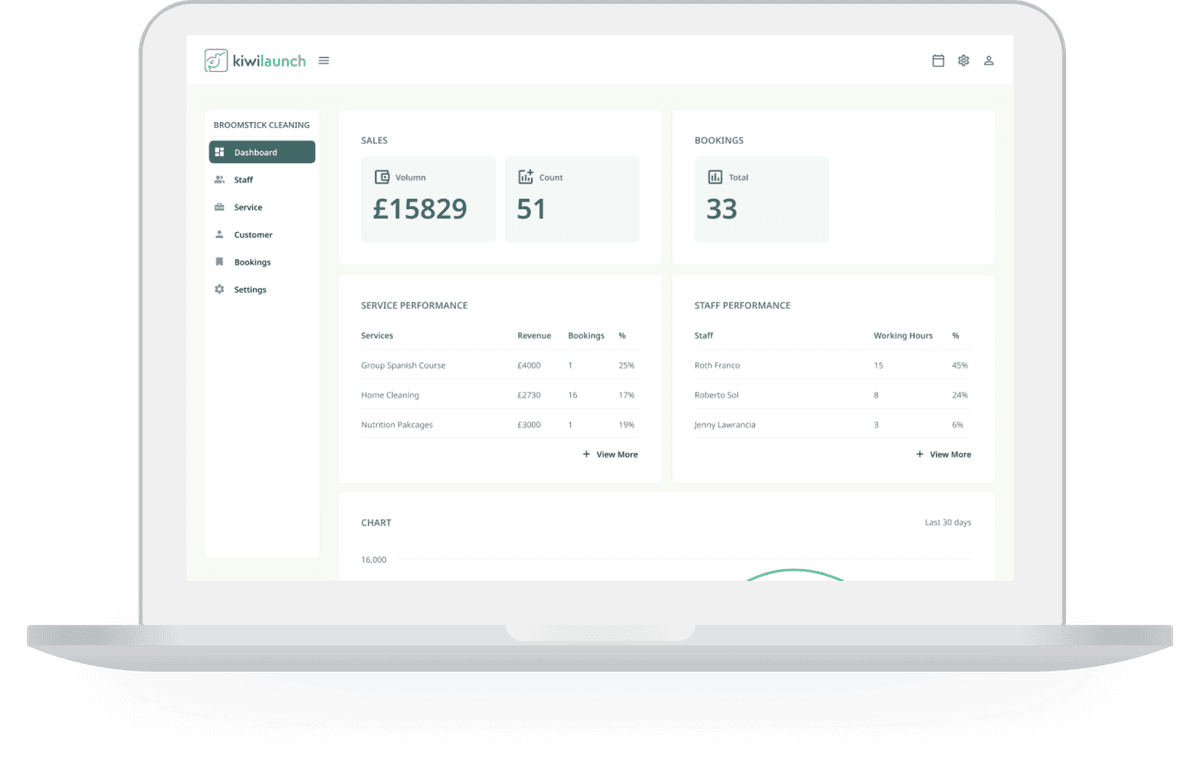
HVAC scheduling software timed to the season, not the emergency
HVAC runs on two different clocks: a tune-up that has to happen before the weather turns, and an emergency call that jumps the line whenever a system actually fails. kiwilaunch keeps them as separate services, each with its own length, so a short no-heat call and a longer seasonal visit never compete for the same slot. Coverage is set per service, by ZIP, post code, or area name, tight where you need to move fast and wider where you're planning a route. Techs each keep their own shifts and their own calendar, so who's free is never a guess.



The tune-up call that has to land before the weather does
Most people don't think about their furnace or their AC until the day they need it, by then too late to call it maintenance. Put a booking widget on your own website or send people to a standalone kiwilaunch booking page with your own domain, so the tune-up is bookable the moment someone actually thinks of it, at any hour, instead of waiting on a callback. Booked as its own service with its own length, it never gets mixed up with the no-heat or no-cool call that comes in later.


An emergency call needs to know who's actually free today
A tune-up booked weeks out can wait for whichever tech has room that week. An emergency call can't. It needs whichever tech is free today, and that picture can change within the hour once calls start stacking up. Add each tech as a staff member with their own shifts and their own calendar, so you can see who has room without a phone call around the shop.


A map that's honest about how fast you can actually get there
Coverage is set per service, by ZIP, post code, or area name, and an address outside it can't complete a booking. Keep the emergency service's map tight to the area you can honestly reach fast, and let the tune-up range further since you're planning a route around it instead of racing there. The same technician can work both maps without the calendar ever mixing them up.

Paid before you're back in the truck
An emergency call is usually a one-time relationship: an address you may not see again, and not much chance to chase a payment afterward. Payments run on Stripe, in the booking flow and in your admin panel, so the call can be paid for at booking or right at the door once the work is done. If the fix runs bigger than the callout covered, add the extra charge from your dashboard before you leave the driveway. On the seasonal side, sell the spring and fall tune-up together as a package, paid once and redeemed as each one comes due.

Running the day from the truck, not a desk
You're not sitting at a desk between calls, whether that's a tune-up route or a no-heat callout. The kiwilaunch iOS app carries your calendar, your customers, your bookings, and your payments, so you can see what's booked and how much room is left in the day before you commit to the next call. When a job finishes, take the card right there with Tap to Pay on iPhone, no reader to buy or keep charged.
iPhone app
Run the whole thing from your iPhone
Everything you'd sit down at a desk for, on the phone that's already in your hand.


Set the season up from the van. Add tune ups and callouts, set how far you will drive, share the link.

Today's calls, in order. Where you are going, what they booked, who still owes you.

Paid at the door, not chased in spring. Take the card on the porch or send a payment link.

Take a card with nothing but your iPhone. No reader to buy, carry, or charge.


Join us
Flexible pricing plan suited for the size of your business
Free
$0/month
Take bookings and get paid online, with no monthly bill.
- 100 bookings
- Own branding experience
- Custom labels and localization
- Custom landing page
- Online payments via Stripe
- Self onboarding

Transaction fee : 1%
(Excluding payment gateway fees)
Solo
$9/month
One calendar, one person: you.
- Everything in Free
- Unlimited bookings and customers
- Custom domain
- Google Calendar integration
- Marketing integrations
Transaction fee : 1%
(Excluding payment gateway fees)
Business
$39/month
Bring your team. Add as many staff members as you need.
- Everything in Solo
- Unlimited team members
Transaction fee : 1%
(Excluding payment gateway fees)
Scale
$99/month
Assisted onboarding, enterprise support, and the lowest transaction fee we offer.
- Everything in Business
- Assisted onboarding
- Enterprise support
Transaction fee : 0.5%
(Excluding payment gateway fees)
Genuine Reviews
Wall of Love
Comparing booking tools for this trade?
We read the customer reviews so you do not have to. Each one covers what people actually say, the real pricing, and where to look instead.
Housecall ProField service dispatch, invoicing and payments for tradesWorkizField service dispatch with built-in phone and texting
See all booking software reviewsMore industries
Other trades running on kiwilaunch


Frequently asked questions
Can the seasonal tune-up and an emergency callout be different lengths on my calendar?

How do I get tune-ups booked before the season actually starts?
How do I make sure an emergency call doesn't get booked outside the area I can actually reach fast?
I have techs in different trucks. Can each one run their own schedule?
Can I sell the spring and fall tune-up together instead of booking them one at a time?
How do payments work for an emergency call versus a scheduled visit?
How do I add online booking for HVAC services to my website?
Can I try it before I commit, and bring my existing customers over?
Contact us
Do you need custom expert support?
If your business needs custom help on design, integration, or content creation, let's talk.
(We will arrange a call with our experts to define your needs and scope.)